
Power outages can damage your electronics without warning. Buying the right UPS prevents data loss and hardware damage—here's how to choose wisely.
Choose a UPS based on your equipment's power needs, outage risks, and required runtime. First calculate your devices' total wattage before selecting battery capacity.
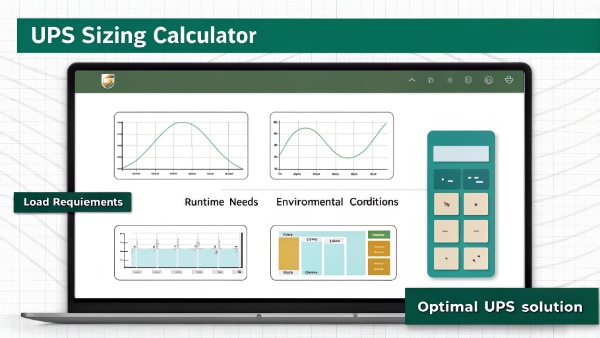
A good UPS protects your investment without unnecessary costs. Let's break down the selection and usage process.
How to Select the Proper UPS for Your Devices?
Sizing errors waste money—how do you know which UPS fits your needs?
Calculate total wattage of protected devices, add 20-25% buffer, and match it to UPS capacity. Runtime depends on battery size versus load.

UPS Selection Factors
| Factor | Importance | What to Check |
|---|---|---|
| Wattage Needs | Critical | Device power labels/specs |
| Runtime Required | High | Minutes vs hours needed |
| UPS Type | Medium | Standby/Line-interactive/Online |
| Outlet Count | Basic | Number of devices |
| Connectivity | Optional | USB/Network monitoring |
Having proper specs ensures optimal protection without overspending.
Is Protecting Good Speakers with a UPS of Any Use?
Expensive speakers deserve protection—but is a UPS overkill?
For premium audio equipment, UPS prevents amplifier damage from power fluctuations while surge protectors alone don't guarantee clean shutdowns.

Speaker Protection Needs
- Power Conditioning: Stops audio distortion
- Surge Protection: Shields sensitive circuits
- Safe Shutdown: Prevents amp damage
- Clean Power: Maintains sound quality
- Voltage Regulation: Normalizes input
High-end audio systems benefit from UPS filtration and stabilization features.
What Is the Advantage of a UPS Over a Surge Protector?
Power strips claim protection—how does UPS do better?
UPS provides active power backup during outages while surge protectors only suppress spikes. UPS adds runtime and voltage regulation.

Critical Differences
| Feature | UPS | Surge Protector Only |
|---|---|---|
| Backup Power | ✅ Yes | ❌ No |
| Runtime | Configurable | None |
| Voltage Regulation | Included | Sometimes |
| Safe Shutdown | Automatic | Manual Required |
| Protection Levels | Complete | Partial |
Serious protection demands proper UPS safeguards.
Do We Still Need UPS in Today's PC Setups?
Modern PCs seem robust—is UPS really necessary now?
Despite better hardware protection circuits, UPS prevents data loss during outages and extends computer lifespan. Cloud backups don't solve local crash issues.

Current PC Protection Needs
| Risk | With UPS | Without UPS |
|---|---|---|
| Outage Data Loss | Prevented | Likely |
| Unsaved Work | Recoverable | Lost |
| Corrupt OS | Avoided | Possible |
| Hardware Stress | Reduced | Increased |
| Power Surges | Blocked | Direct Hit |
UPS remains crucial insurance against preventable disasters.
Conclusion
Proper UPS selection balances device protection with budget considerations. Whether safeguarding computers, audio gear, or other electronics, modern UPS systems deliver essential power protection that surge protectors1 alone can't match.
Key Takeaways:
- Match UPS capacity to your actual load needs
- Premium audio benefits from UPS protection2
- Surge protectors lack backup capabilities
- PCs still need UPS safeguards today
