
You've bought a UPS to protect your gear, but now it's sitting in the box. You're worried about complex wiring or doing something wrong that could damage your expensive electronics.
Installing a consumer UPS is designed to be simple and safe. First, fully charge the UPS for 8 hours before use. Then, plug your essential devices like your computer and monitor into the "Battery Backup" outlets. Finally, plug the UPS itself directly into a wall socket.
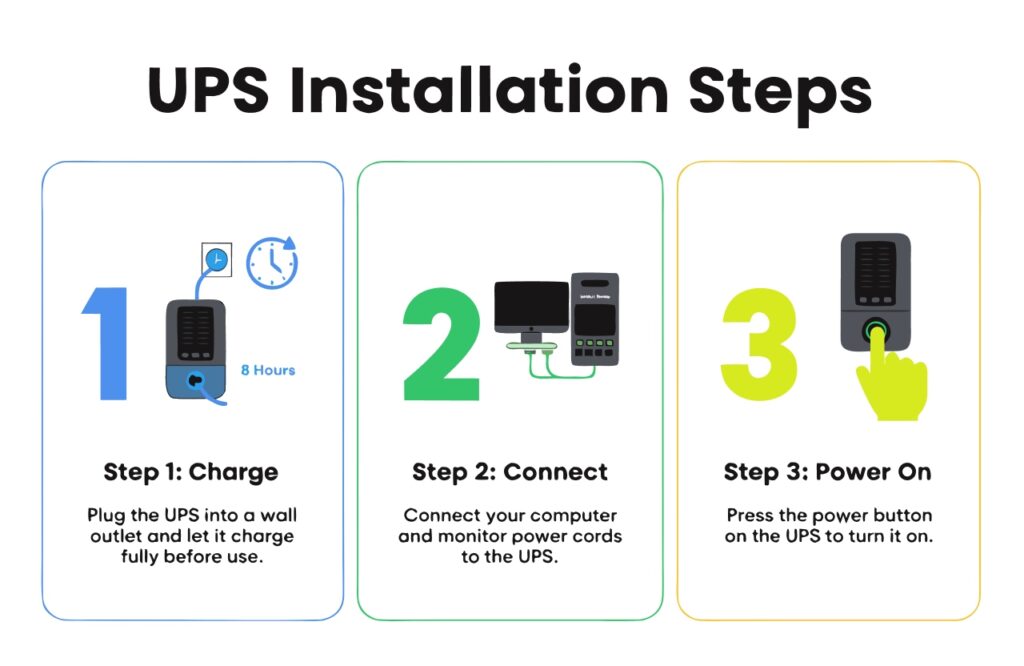
My favorite insight is that "UPS installation is convenient." As an engineer and manufacturer, we spend a lot of time making sure you don't need to be an electrician to use our products. The biggest mistake people make is skipping the initial charge or plugging a high-drain device like a laser printer into the battery outlets. The setup is intentionally straightforward to get you protected as quickly as possible. Once you're set up, other questions often come to mind.
How Long Can a UPS Keep Your Wi-Fi Router Running?
The power goes out, plunging you into darkness and silence. Your phone's data is slow, and you realize your internet is gone. You need to stay online, but you're unsure if a UPS is enough.
A small, entry-level UPS can power a standard Wi-Fi router for several hours. Since routers use very little electricity (typically 5-20 watts), even a basic UPS has plenty of capacity to keep your internet running through most common power outages.

The Power of Low Load
The secret to this long runtime is understanding "load." A UPS has a fixed amount of energy, like a gas tank. A big desktop computer is like a truck; it drains the tank quickly, giving you maybe 10 minutes to find a safe place to stop. A Wi-Fi router, on the other hand, is like a scooter. It sips power. Because its load is so small, it can run for a very long time on the same tank of gas.
Many of my clients, especially those working from home, now buy a dedicated, small UPS just for their modem and router. This creates an "always-on" internet connection that survives neighborhood blackouts. It's a simple, cost-effective way to ensure you're not cut off from the world when the lights go out. A small 600VA UPS that gives a PC 5 minutes of life can give a router 2-4 hours.
| Device | Typical Power Draw (Watts) | Estimated Runtime on 1000VA UPS |
|---|---|---|
| Gaming PC | 300-500W | 5-10 minutes |
| Office PC & Monitor | 150W | 20-30 minutes |
| Wi-Fi Router & Modem | 15W | 3-5 hours |
What Really Happens to Your PC Without a UPS?
You've always plugged your PC directly into the wall. It seems to work fine, but you have a nagging feeling that a sudden power cut could be catastrophic for your data and hardware.
Without a UPS, a power flicker or blackout can cause instant data loss, corrupt your operating system, and even physically damage sensitive components like your hard drive, power supply, and motherboard.

The Silent Killer of Electronics
The danger isn't just about losing the last paragraph you wrote. The real damage is much deeper. When your computer loses power abruptly, it doesn't get to perform its shutdown routine. Files that are being written to the hard drive can become corrupted. Worse, the operating system's core files can be damaged, leading to a PC that won't even boot. I've seen this happen countless times.
Even more damaging are the small, frequent issues—brownouts and surges. Your wall power is not clean. It has constant fluctuations that stress your PC's internal power supply unit (PSU). This stress causes heat and component wear, drastically shortening your computer's lifespan. A sudden power surge, which often happens when power is restored after a blackout, can act like a sledgehammer, sending a lethal jolt of voltage through your system and frying the motherboard. A UPS is the only thing standing between your expensive investment and the chaotic, unpredictable nature of the power grid.
Can You Get More Runtime by Connecting Two UPS Units Together?
You need more battery time for a long outage, and you have a spare UPS. It seems logical to just plug one into the other, but you hesitate, sensing it might be a very bad idea.
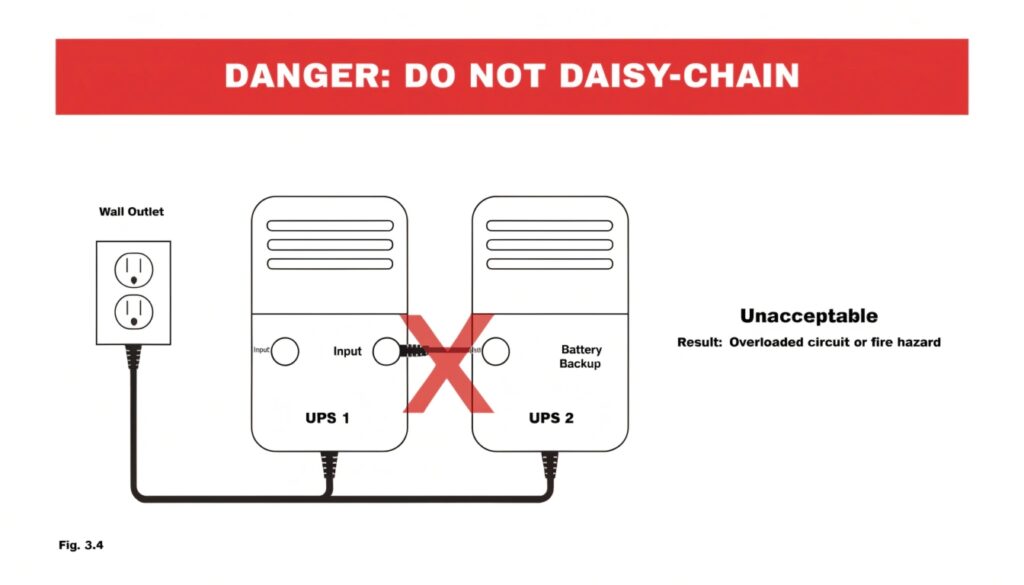
No, you must never connect one UPS to another. This is called "daisy-chaining" and it creates unstable power, can damage the second UPS, is a potential fire hazard, and will void your warranty immediately.
The Wrong Tool for the Job
I see this question in forums all the time, and it makes every power engineer I know cringe. The reason it's so dangerous is that the power coming out of a typical UPS on battery is a simulated sine wave. It's good enough for a computer's power supply, but it is not the clean, perfect power that a second UPS expects to see from the wall.
When you plug a second UPS into the first one, its internal brain gets confused. It sees this "dirty" power and thinks the grid is unstable, so it might switch back and forth between battery and AC power rapidly. This generates excess heat and will quickly destroy the charging circuits and relays in the second unit. It's an incredibly inefficient and dangerous setup. The correct, safe, and manufacturer-approved way to get more runtime is to use an External Battery Module (EBM). These are battery packs designed specifically to plug into a UPS and extend its life safely.
Can a UPS Really Protect Your Computer from a High Voltage Surge?
You hear a loud crack of thunder outside. You worry that a nearby lightning strike could send a fatal surge of electricity through the lines and instantly destroy your valuable computer and data.
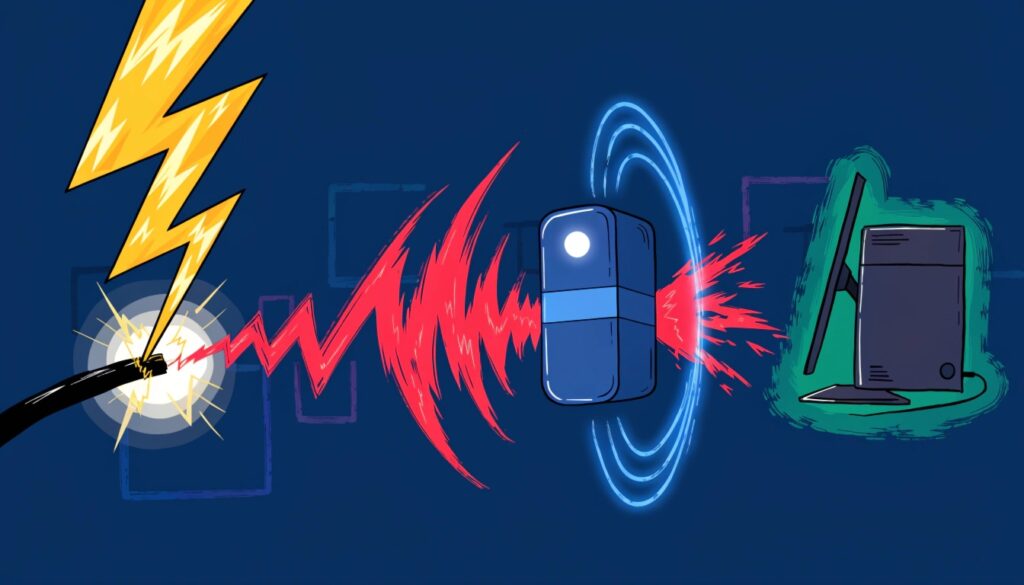
Yes, absolutely. Every UPS is designed with built-in surge protection to stop high voltage spikes. Online UPS models offer the highest level of protection by completely isolating your computer from the incoming power grid.
Your Electrical Bodyguard
Protecting your equipment from high voltage is a fundamental job for any UPS. This protection works on two levels. The first line of defense in all our UPS units is a surge suppression circuit. This circuit uses components called Metal Oxide Varistors (MOVs). Think of them as ultra-fast pressure valves for electricity. When they detect a voltage level that is dangerously high, they instantly divert that harmful energy to your building's ground wire, sacrificing themselves if necessary to protect your computer.
For mission-critical applications like servers or medical equipment, we use the second level of protection: an Online Double-Conversion UPS. This technology is the ultimate defense. It completely disconnects your equipment from the grid power. It takes the incoming AC, converts it to DC to charge the batteries, and then uses that DC power to generate a brand new, perfectly clean AC signal. A surge on the outside line can't get through because there is no direct physical connection to your computer. It's total electrical isolation.
Conclusion
Installing a UPS is easy and provides the foundation for complete power protection. It guards against outages, stabilizes voltage, and is the best defense for your valuable computers and electronics.
