
You've invested hundreds or even thousands of dollars in your computer and electronics. You worry that a random power surge from a lightning strike or grid fault could instantly destroy everything, wasting your money and wiping out your precious data.
Yes, a UPS provides excellent protection from power surges. Every UPS contains a dedicated surge protection circuit that diverts dangerous high voltage away from your equipment. For ultimate safety, an Online UPS completely isolates your gear from the grid, creating a perfect, surge-proof power signal.
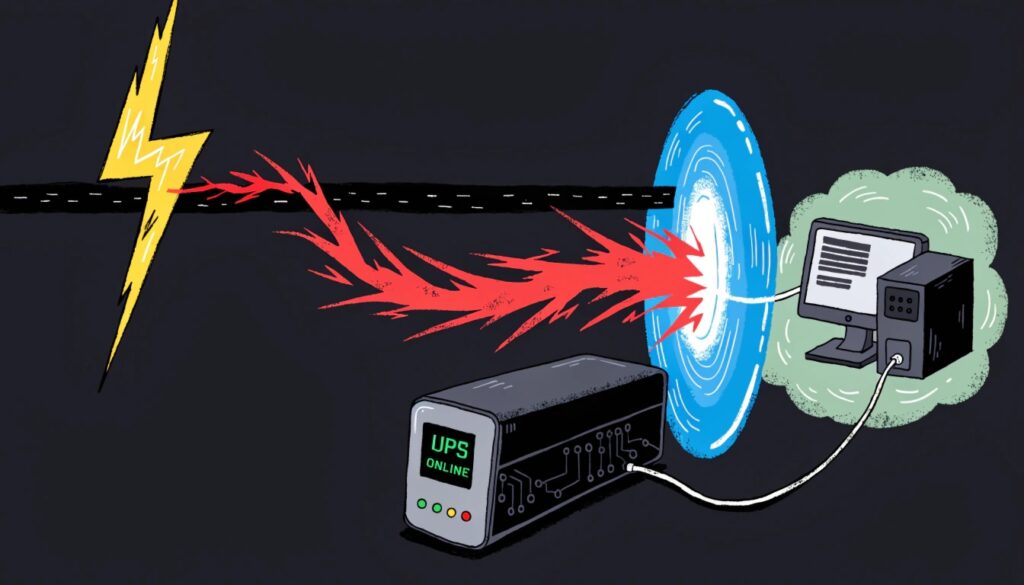
My favorite insight is that a UPS can both stabilize voltage and supply power. As an engineer, I know this dual capability is what makes it so essential. It doesn't just act as a battery; it actively cleans and manages the electricity your devices receive every second they are plugged in. This comprehensive role often leads to questions about how it compares to other power devices, like the SMPS inside your computer or a standalone voltage regulator. Understanding these differences is key to knowing you have the right protection.
What Are the Differences Between an SMPS and a UPS?
You see "SMPS" listed in your PC's specs and "UPS" sold as an external accessory. They both handle power, so it's easy to get them confused. You might think you're protected when you're actually vulnerable.
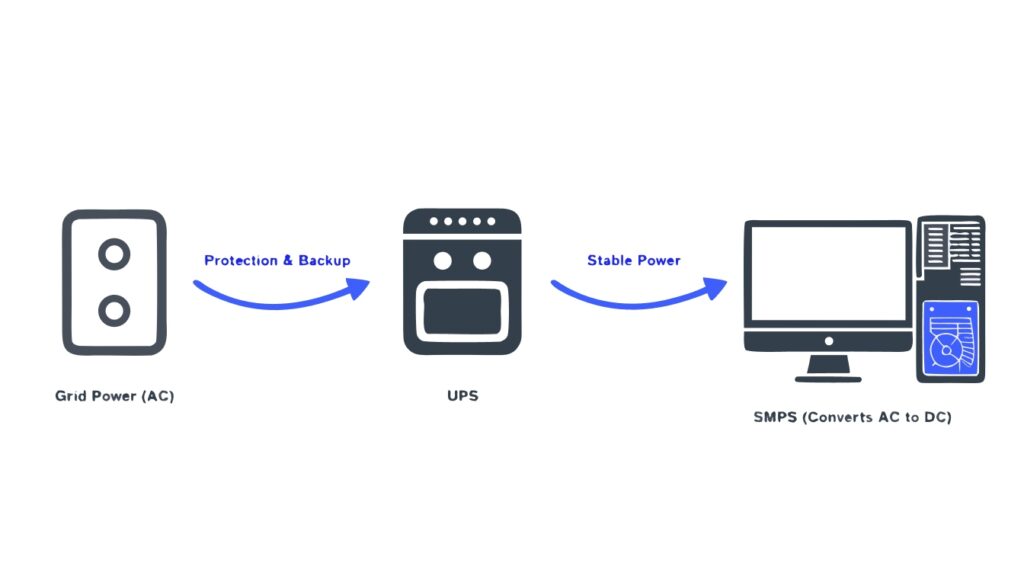
An SMPS (Switched-Mode Power Supply) is your PC's internal power converter. A UPS (Uninterruptible Power Supply) is an external device that provides battery backup and surge protection to the SMPS. One converts power; the other protects it.
The Converter vs. The Protector
Let's break this down. The SMPS is a component inside your computer case. Its only job is to take the high-voltage AC power from your wall outlet and convert it into the various low-voltage DC signals (+12V, +5V, etc.) that your motherboard, CPU, and graphics card need to operate. It is absolutely essential for the computer to function, but it offers no protection from a power outage. If the AC power from the wall stops, the SMPS stops, and your computer dies instantly.
A UPS, on the other hand, is your system's bodyguard. It sits between the wall outlet and your computer. It constantly monitors the incoming electricity. During a power surge or a blackout, it immediately disconnects from the grid and uses its internal battery to supply a continuous stream of clean power to the SMPS. In short, the UPS keeps the SMPS alive so it can continue to power your computer.
| Device | Location | Primary Function | Protects from Blackout? |
|---|---|---|---|
| SMPS | Inside PC | Converts AC to DC | No |
| UPS | External | Provides clean, battery backup power | Yes |
Should I Get a UPS or an AVR?
Your lights flicker and you know the power is "dirty." You want to protect your computer, but you're stuck choosing between a cheaper AVR and a more expensive UPS. Making the wrong choice feels like a waste of money.
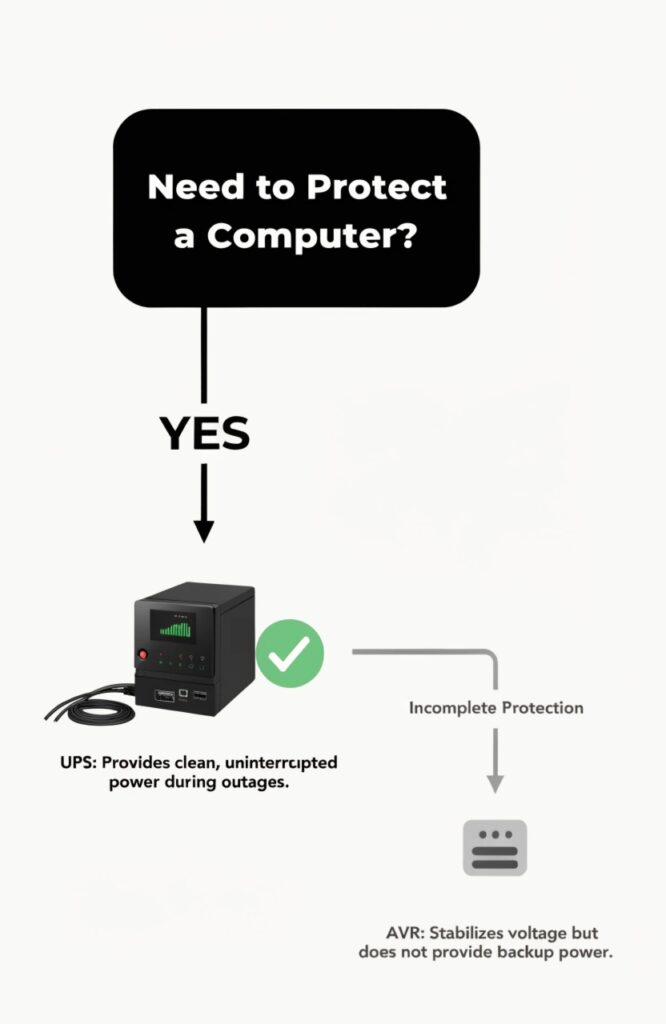
For a computer, you should always get a UPS. An AVR (Automatic Voltage Regulator) only corrects voltage levels, but a UPS does that and provides battery backup during a total blackout, which is the most common cause of data loss.
Full Protection Trumps Partial Protection
This is a question I hear from clients all the time. An AVR, also known as a stabilizer, is designed to do one thing: handle brownouts (low voltage) and swells (high voltage). It ensures that your device receives a steady voltage level. This is useful for appliances with motors, like a refrigerator or air conditioner, in areas with very unstable power. However, an AVR has no battery. When the power goes out completely, it just turns off.
Your computer can get corrupted or damaged by a sudden shutdown. A UPS protects against this. Most modern UPS systems have an AVR built right in, so they handle the voltage fluctuations just like a stabilizer. But their most critical feature is the battery. When a blackout occurs, the UPS instantly switches to battery power, giving you time to save your work and shut down your computer safely. The extra cost of a UPS is small compared to the cost of losing your data or replacing your hardware after a single power outage.
How Do You Turn on My UPS if My Electricity Has Low Voltage?
The power isn't totally out, but the voltage is so low that your lights are dim. You need to use your PC, but you are afraid that the poor quality power will damage the UPS or prevent it from starting.
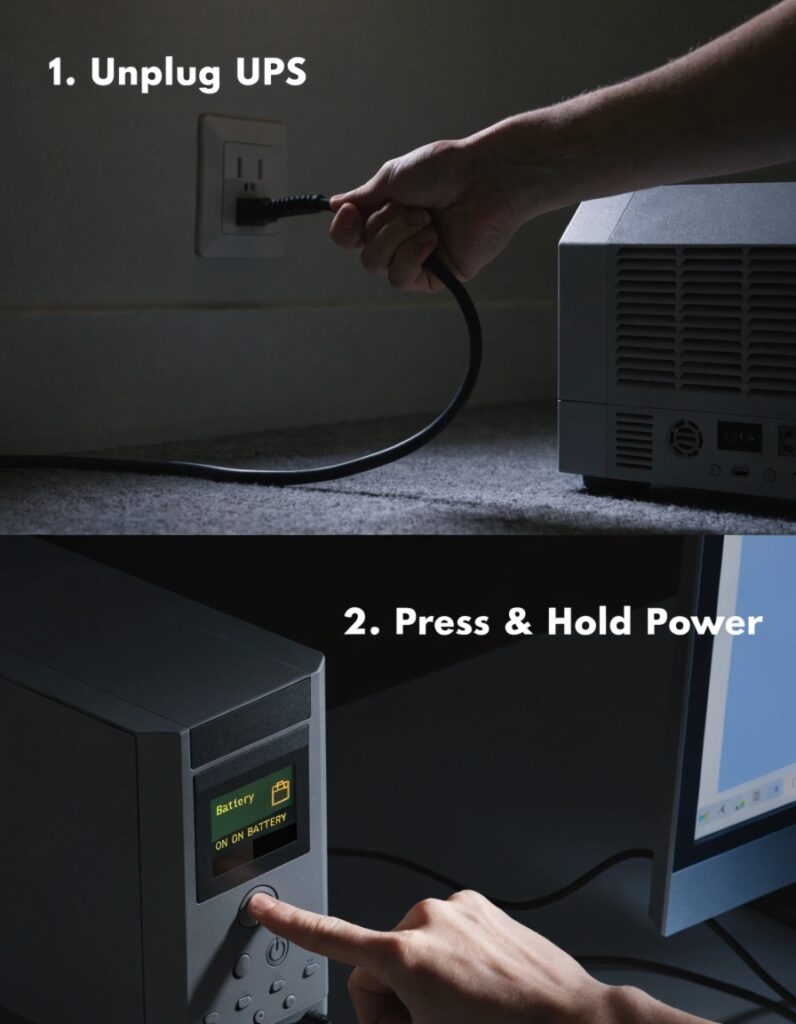
You can start the UPS directly from its battery using the "cold start" feature. This bypasses the faulty grid power completely. Simply unplug the UPS from the wall, then press and hold its power button until it turns on.
Starting Without the Grid
The "cold start" function is a lifesaver in these situations and is a standard feature we build into our UPS units. It's designed specifically for moments when you need power but the grid input is either absent or unusable. When you perform a cold start, the UPS logic ignores the AC input and immediately begins drawing from its internal battery. It uses its inverter to generate a clean, stable AC signal to power your connected devices.
In normal operation, if you turned on a UPS during a low-voltage brownout, its built-in AVR would detect the problem and automatically switch to battery power anyway. The cold start is just a manual way to force this action when the unit is off. It ensures you can power up your essential equipment even when the grid is failing, turning your UPS into a temporary, portable power source. Just remember that you'll be running on battery, so your runtime will be limited.
What's the Difference Between a Servo Voltage Stabilizer and a UPS?
You've heard of heavy-duty Servo Stabilizers used in factories. They sound powerful, but you wonder if one would be better than a UPS for protecting your office's servers and computers. The wrong choice could be disastrous.
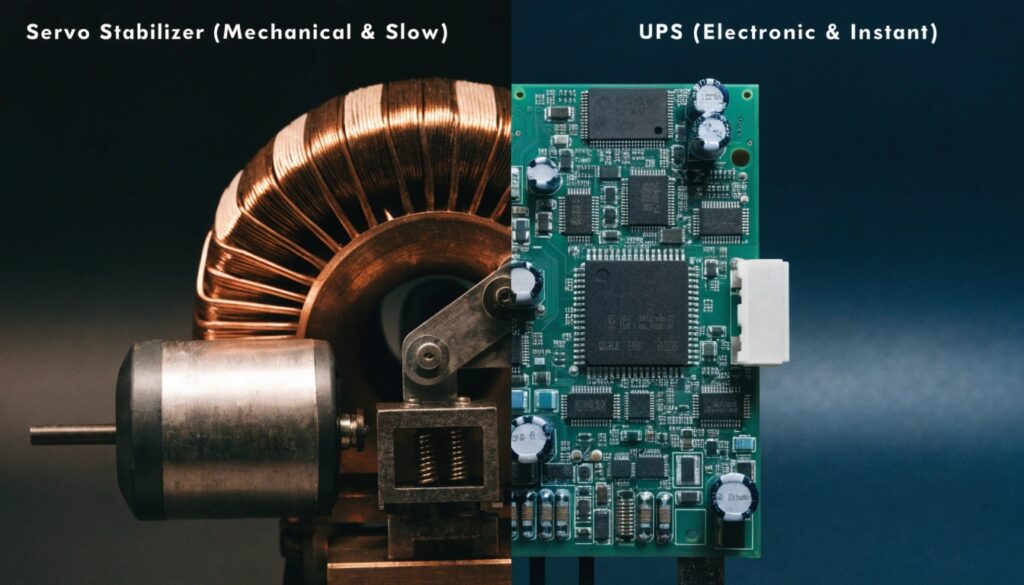
A Servo Stabilizer uses a slow, physical motor to correct voltage, making it suitable for industrial machinery. A UPS uses fast electronics for instant protection and includes a battery, making it the only choice for sensitive IT equipment like computers and servers.
Mechanical Speed vs. Electronic Speed
The difference here is like comparing a wrench to a microchip. A Servo Stabilizer works mechanically. It has a motor that physically moves a carbon brush across coils of a transformer to adjust the output voltage. This method is very precise but it is also slow, noisy, and requires maintenance on its moving parts. It might take a full second or two to correct a voltage dip. This is fine for a large motor, but for a computer, it's an eternity.
A UPS is a solid-state electronic device. A Line-Interactive UPS uses electronic relays that switch in less than 10 milliseconds—hundreds of times faster than a servo motor. An Online UPS, which we build for data centers, has zero switching time because it is constantly regenerating power. A computer's power supply can crash from a voltage gap that lasts just 20 milliseconds. The slow-moving Servo Stabilizer can't possibly react in time, while a UPS is specifically designed to be faster than your computer even knows.
Can You Use a UPS as a Stabilizer for an AC?
Your air conditioner struggles and sputters when the voltage is low. You have a big UPS for your computer setup and you think, "Can I just plug the AC into that for stable power?"
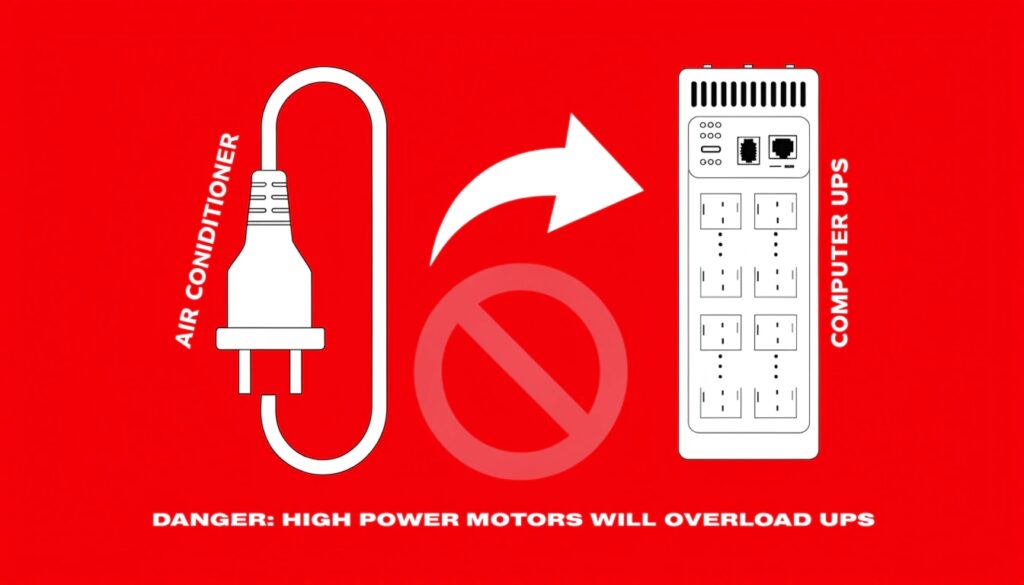
Absolutely not. Never plug an air conditioner or any large motor-driven appliance into a standard computer UPS. The AC's starting motor creates a massive power surge that will instantly overload and likely destroy your UPS.
The Peril of Inrush Current
Here is what happens inside. When an air conditioner's compressor motor starts up, it creates something called "inrush current." For a brief moment, it can draw five to ten times its normal running power. A 1,000-watt AC unit might momentarily demand over 5,000 watts to get started.
Your UPS is built to handle a specific, continuous load, for example, 800 watts. It is not designed to handle the colossal starting spike from a motor. When you plug in the AC, the UPS's internal safety circuits will see this massive demand as a catastrophic failure or a short circuit. To protect itself from damage, it will immediately shut down. In a worst-case scenario, the surge can overwhelm the safety circuits and physically fry the UPS's inverter. For appliances with large motors, you need a dedicated voltage stabilizer rated for that specific load, not a computer UPS.
Conclusion
A UPS is the complete, all-in-one solution for protecting your computer. It defends against destructive power surges, stabilizes daily voltage fluctuations, and provides the essential battery power needed to survive a blackout.
