
Your motorcycle won't start, and the battery is dead. You spot your computer's UPS, knowing it has a similar battery inside. Can you swap it to get back on the road?
No, you cannot use a battery from a UPS to start a motorcycle. UPS batteries are deep-cycle storage batteries designed for a slow, steady discharge. They cannot deliver the massive, instant power (cold cranking amps) needed to start an engine.
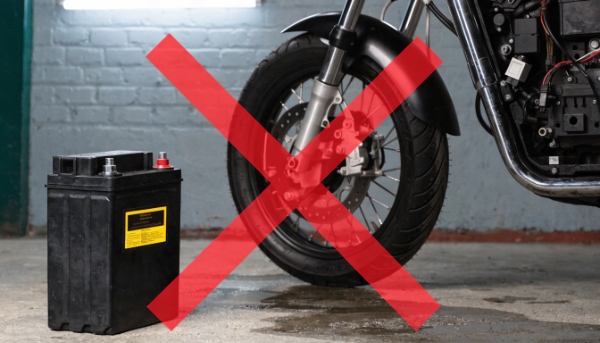
I get asked questions like this more often than you'd think. The insight is correct: a UPS battery is a "storage" battery, not a "starter" battery. Using the wrong one is a recipe for failure and can even be dangerous. A starter battery is like a powerlifter, built for one massive burst of strength. A UPS battery is like a marathon runner, built for endurance. Asking one to do the other's job just won't work. It's a fundamental difference in design that protects both the battery and the equipment it's meant for.
Is it okay to unplug the UPS sometimes, not always?
You're leaving for vacation and want to save electricity. Is it safe to unplug your UPS for a couple of weeks, or will this do more harm than good?
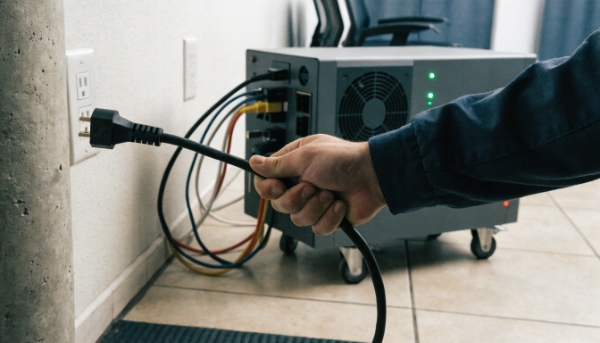
Yes, you can unplug a UPS occasionally, but it is not ideal. When unplugged, it provides no protection. If you must, ensure the battery is fully charged first, then shut it down completely to prevent deep discharge damage.
The Always-On Guardian
A UPS is designed for 24/7 operation. Its internal charger keeps the battery in a "float charge" state, which is the perfect condition for long life and instant readiness. Unplugging it breaks this important cycle. For a short weekend trip, it's generally fine. However, for longer periods, the battery will slowly self-discharge. A fully charged battery might take months to drain completely, but a partially charged one can go flat much faster. The real risk comes when you plug it back in. If the battery is totally drained, it can put a huge strain on the internal charger. More importantly, while your UPS is unplugged, it's just a heavy box. Any power surge, sag, or blackout will go straight to your unprotected equipment. For my clients running critical systems in hospitals and data centers, the advice is always the same: never unplug it. The tiny amount of electricity saved is not worth the risk of catastrophic downtime.
How do you know if a UPS battery is dead?
Your UPS seems to be working fine, but you have a nagging fear that the battery might fail during the next power outage. How can you identify a dying battery before it's too late?
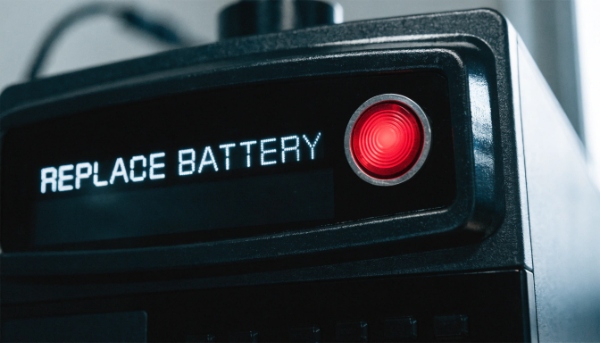
A dead or dying UPS battery will typically trigger a constant "replace battery" alarm or light. It may also fail a self-test or provide almost no runtime when the power goes out, causing an immediate shutdown.
Warning Signs to Watch For
As a manufacturer, I can tell you the battery is the most common component to fail in a UPS. It's a consumable part, like the tires on a car. Spotting a failing battery early is the key to maintaining reliable protection. Here are the key signs I tell our partners to watch for in their projects.
- Alarms and Lights: This is the most obvious sign. A modern UPS will tell you when its battery is failing. Don't ignore a persistent beeping or a lit "Replace Battery" LED. It's a direct warning that your protection is compromised.
- Drastically Reduced Runtime: If your UPS used to power your server for 15 minutes and now it only lasts for one minute, the battery can no longer hold a useful charge. You can confirm this by performing a test with a non-critical load attached.
- Failed Self-Tests: Most business-grade UPS systems have a built-in self-test function. This briefly simulates a power failure to check the battery's health. If the UPS immediately reports a failure or shuts down, the battery needs to be replaced.
- Physical Bulging: In some cases, a failing battery can swell or bulge. If you notice the case of your UPS is warped or pushed open, this is a serious sign. Unplug the unit immediately, as this can be a safety hazard.
What happens when a UPS battery dies?
The "replace battery" light has been blinking for weeks. What's the worst that could happen if you just ignore it and keep working as usual?
When a UPS battery dies, the unit completely loses its ability to provide backup power. During an outage, your equipment will shut off instantly. The UPS may also beep constantly or refuse to turn on, even with wall power.

The "U" in UPS Fails
Ignoring a dead battery is a common but risky mistake. A UPS without a healthy battery is no longer "uninterruptible." It becomes an expensive and ineffective power strip. As my insight noted, when the battery voltage drops too low, the system simply cannot perform its primary function. It's a critical point of failure. Here is a breakdown of what happens when you ignore the warnings.
| Scenario | What Happens to Your Equipment | What the UPS Does |
|---|---|---|
| During a Power Outage | Instant power loss. This can cause data corruption, unsaved work to be lost, and potential hardware damage from the improper shutdown. | It cannot switch to battery power because there is none to switch to. It will shut down completely, taking your equipment with it. |
| During Normal Operation | Power continues to pass through, but your devices are vulnerable. | The UPS will likely sound a continuous, annoying alarm to signal the critical fault. Some models may even refuse to power on at all. |
| During a Power Surge | You might get some limited surge protection, but the battery plays a role in conditioning power, so its absence weakens the overall defense. | The system's ability to absorb and regulate power fluctuations is compromised, putting your connected devices at greater risk. |
For any system integrator or procurement manager, ensuring batteries are replaced on schedule is a core part of a reliable infrastructure plan.
What are the different types of UPS systems?
You need to buy a UPS, but the choices are confusing: Standby, Line-Interactive, Online. Which one is right for your project, and what is the real difference between them?
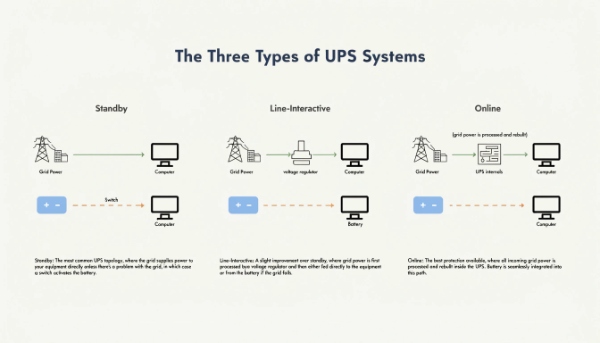
The three main types are Standby (basic protection), Line-Interactive (a good balance for offices and small servers), and Online Double-Conversion (the best protection for critical data centers and medical equipment).
Choosing Your Level of Protection
As an OEM/ODM manufacturer, we design and build all three types because they serve different applications and budgets. Helping a client choose the right "topology1" is one of the first steps in any project. Think of it as choosing the right level of security for your valuable equipment.
| UPS Type | How It Works | Best For |
|---|---|---|
| Standby (Offline) | Passes wall power directly to equipment. Only switches to battery during a full outage. It's the simplest and most affordable option. | Basic home office computers, point-of-sale terminals, and other non-critical electronics. |
| Line-Interactive | Also passes wall power through, but has a special transformer that actively corrects minor voltage fluctuations (sags and swells) without using the battery. | Business workstations, department servers, and network equipment. It's the most popular choice for general business use. |
| Online (Double-Conversion)2 | Constantly rebuilds the power from the ground up. It isolates equipment from the raw utility grid completely, providing a perfect, stable power signal with zero transfer time. | Data centers, hospital life-support, sensitive lab instruments, and any system where downtime is not an option. |
Understanding these differences ensures that you don't overspend on protection you don't need, or worse, underspend and leave your critical systems at risk.
Conclusion
A UPS battery is for steady storage, not starting engines. Maintain your battery and choose the right UPS type to ensure your critical systems are always safe and operational.
