
You think a data center UPS is just a big battery in a box. But when you plan the budget, you see quotes for bypass panels and software. This confusion can lead to an incomplete and risky system.
A complete data center UPS system includes the core UPS engine (modules), the energy storage (batteries or flywheels), a power distribution unit (PDU), a maintenance bypass switch, and monitoring software.
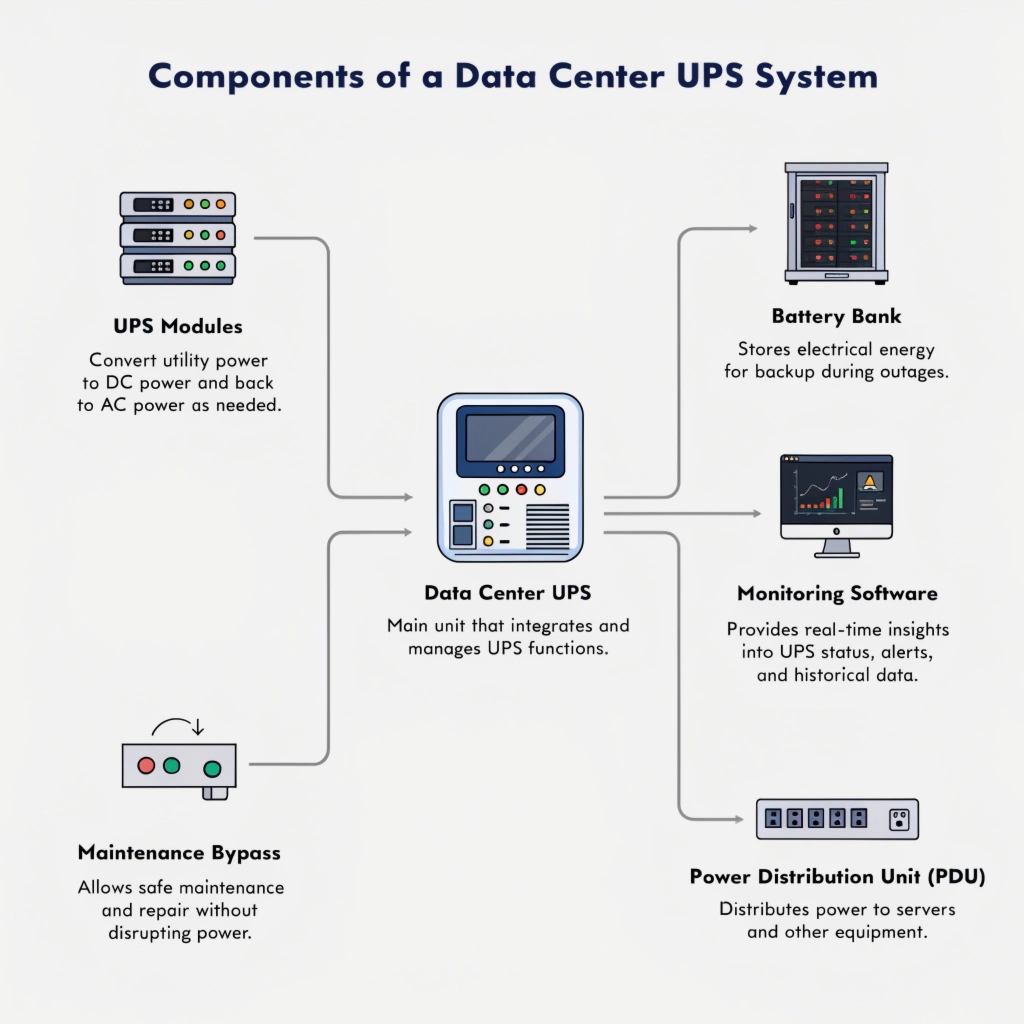
As a manufacturer, I've seen clients focus only on the UPS unit itself. They sometimes forget that it's an integrated system. The batteries provide the runtime, the bypass allows for service without downtime, and the software tells you what's happening. Thinking of it as a complete ecosystem, not just a single product, is the first step to designing a truly resilient power infrastructure for a mission-critical facility. Each part has a vital role to play in keeping the power on.
What is the role of a UPS in a network room or data center?
You see the UPS units humming away in your data center. You assume their only job is to kick in during a total blackout. This overlooks their most important, day-to-day function and leaves you blind to risk.
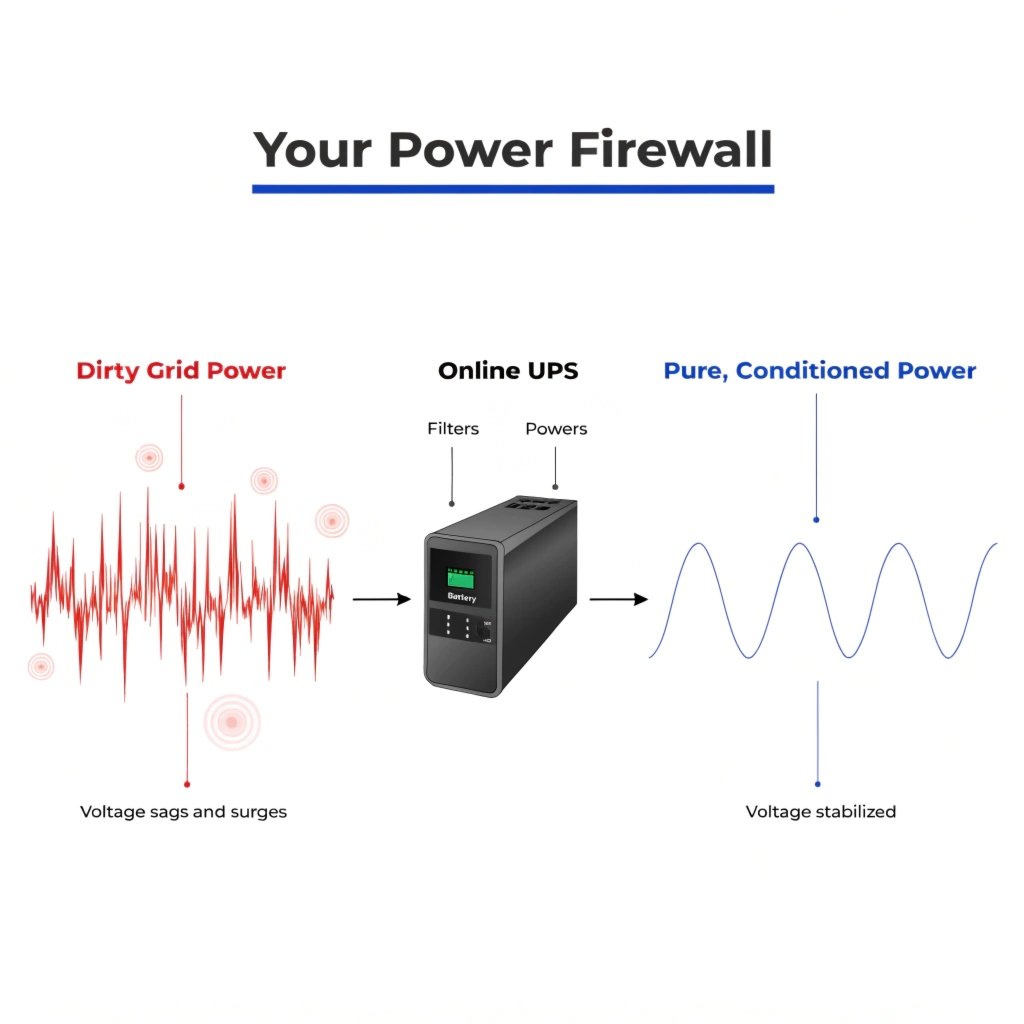
The primary role of a data center UPS is to provide perfectly clean, conditioned power at all times and to act as a seamless bridge between a utility power failure and a generator startup.
The Guardian of Power Quality
A data center's biggest enemy isn't always a dramatic blackout. It's the constant stream of "dirty power" from the grid. These small power problems cause unexplained server reboots, data corruption, and premature hardware failure. The UPS, specifically an Online Double-Conversion type, acts as a firewall between the unstable grid and your sensitive IT equipment. It takes in messy power and regenerates a completely new, pure sine wave of electricity, 24/7. This power conditioning is its most critical ongoing role.
The second role is bridging the gap. No data center relies on batteries alone for long outages. They have generators. But a generator takes time to start, typically 30 seconds to two minutes. Server hardware cannot tolerate even a millisecond of power loss. The UPS's role is to carry the entire IT load instantly on its batteries during that crucial gap, ensuring a completely uninterrupted transition from grid power to generator power. It guarantees zero downtime.
| Power Problem | Grid Issue | UPS Solution |
|---|---|---|
| Blackout | Complete loss of power | Provides battery power to bridge to generator |
| Sag/Brownout | Low voltage | Boosts voltage using the inverter |
| Surge/Spike | High voltage | Absorbs and clamps high voltage spikes |
| Noise | EMI/RFI interference | Filters out interference with the double-conversion process |
What is the purpose of a UPS (uninterruptible power supply)?
Your team uses the terms "backup power" and "UPS" interchangeably. This common mistake can lead to buying a simple power strip with a battery when you need a true industrial-grade power solution for your business.
The purpose of a UPS is to provide a truly uninterruptible supply of high-quality power. It's not just about backup; it's about guaranteeing the continuity and quality of electricity to prevent data loss or hardware damage.
The Difference is "Uninterruptible"
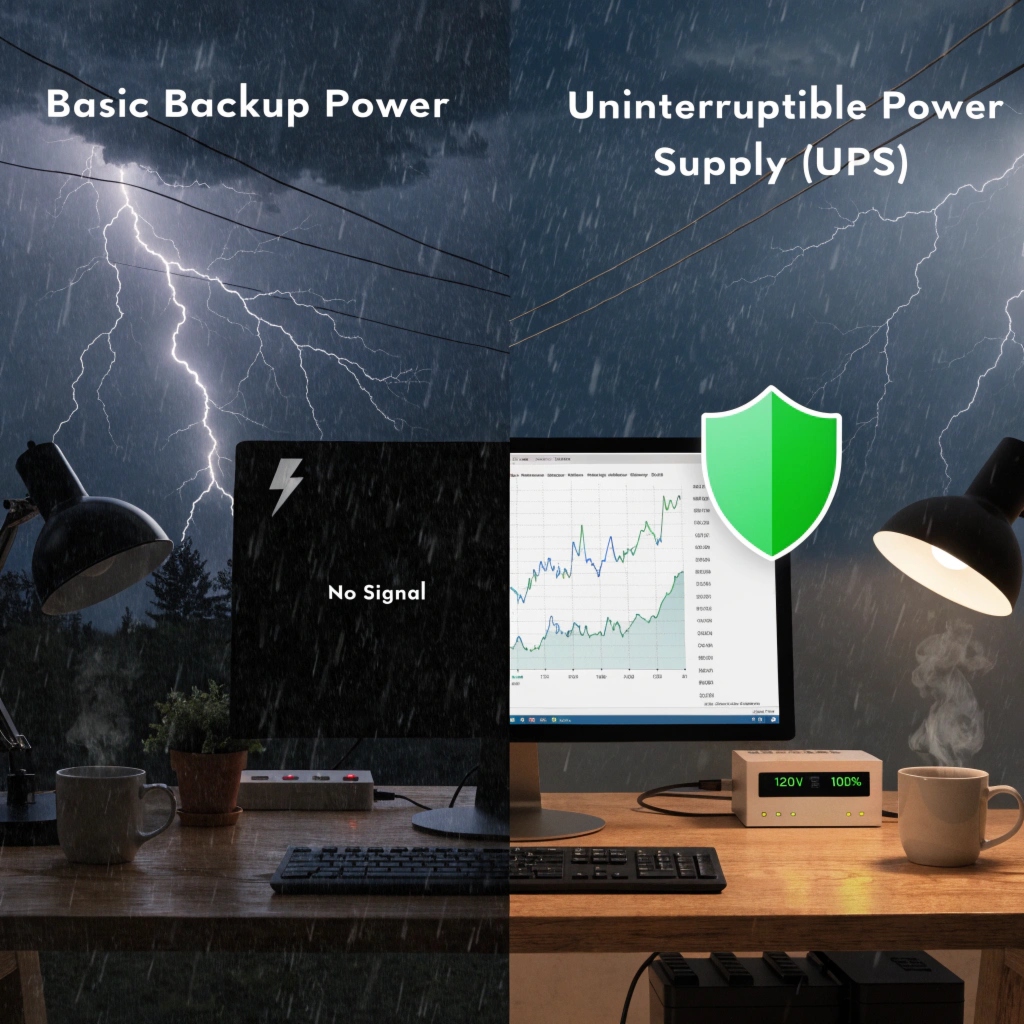
My key insight for you is that an uninterruptible power supply is different from ordinary backup power. This difference is everything. A simple backup battery, like one you might buy for a home computer, often has a noticeable switching time. When the power fails, there is a delay of several milliseconds before it switches to its battery. For a lamp, you might see a flicker. For a sensitive server or a database, that flicker is an eternity—it's a crash.
The purpose of a true UPS, especially the kind we build for businesses, is to eliminate that gap. The word "uninterruptible" is the promise. It ensures the flow of electricity is constant, like a river that never stops. I once worked with a financial services client who learned this the hard way. They tried to save money by using a cheaper "backup" unit on a critical trading server. A brief brownout caused a 15-millisecond power gap. The server rebooted, halting trades and costing them thousands of dollars in a matter of minutes. The purpose of a real UPS is to prevent that story from ever happening. It ensures business continuity, protects data integrity, and safeguards expensive hardware from damaging power fluctuations.
How long can a data center run without power?
A storm is approaching, and you're asked about the data center's emergency plan. You need to give a clear answer. How long can you really keep the lights on when the grid goes down?
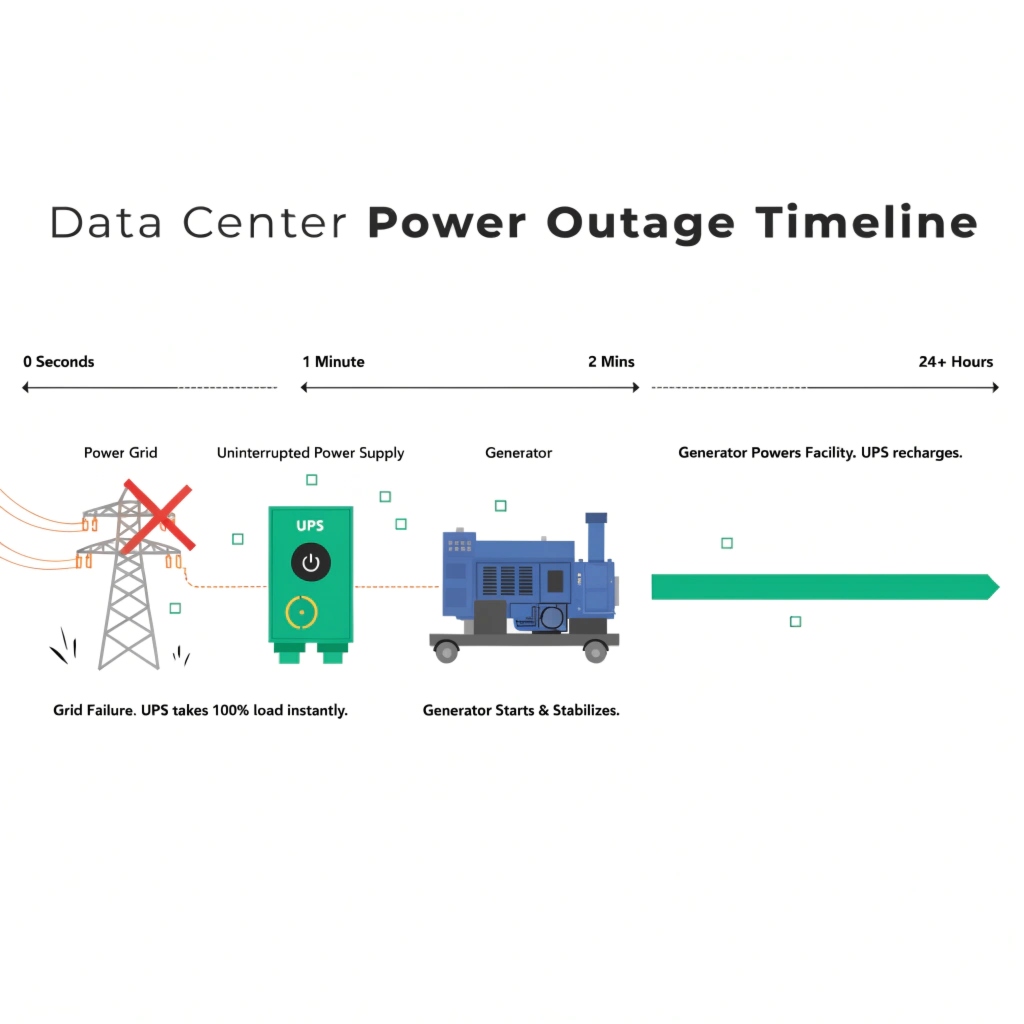
A data center's runtime is a two-stage process. The UPS batteries provide 5-15 minutes of immediate power, while the onsite generator, with its fuel supply, can provide power for many hours or even days.
The UPS and Generator Partnership
The question of how long a data center can run is not about the UPS alone. It’s about a partnership between the UPS and the generator. You should never design a UPS system to run a data center for hours. The cost of that many batteries would be enormous. Instead, the system is designed in two phases.
Phase 1: The UPS Bridge (Minutes)
When the utility power fails, the UPS takes over the entire load instantly. Its batteries are sized to provide enough runtime for two things:
- Allow the generator to start up and stabilize, which usually takes one to two minutes.
- If the generator fails to start, provide enough time (e.g., 10-15 minutes) for the IT systems to perform a graceful, automated shutdown. This prevents data corruption and hardware damage from a sudden power-off event.
Phase 2: The Generator (Hours to Days)
Once the generator is running smoothly, an Automatic Transfer Switch (ATS) seamlessly transfers the building's load from the UPS input to the generator's output. Now, the generator is powering the data center, and the UPS is also using that generator power to recharge its own batteries. At this point, the runtime is limited only by the amount of fuel available for the generator. Most data centers have enough onsite fuel for 24-72 hours and have priority refueling contracts for extended outages.
What are the different types of UPS systems?
You are reviewing supplier quotes and see different terms like Standby, Line-Interactive, and Online. You need to know which type is right for a data center and which is for a simple office PC.
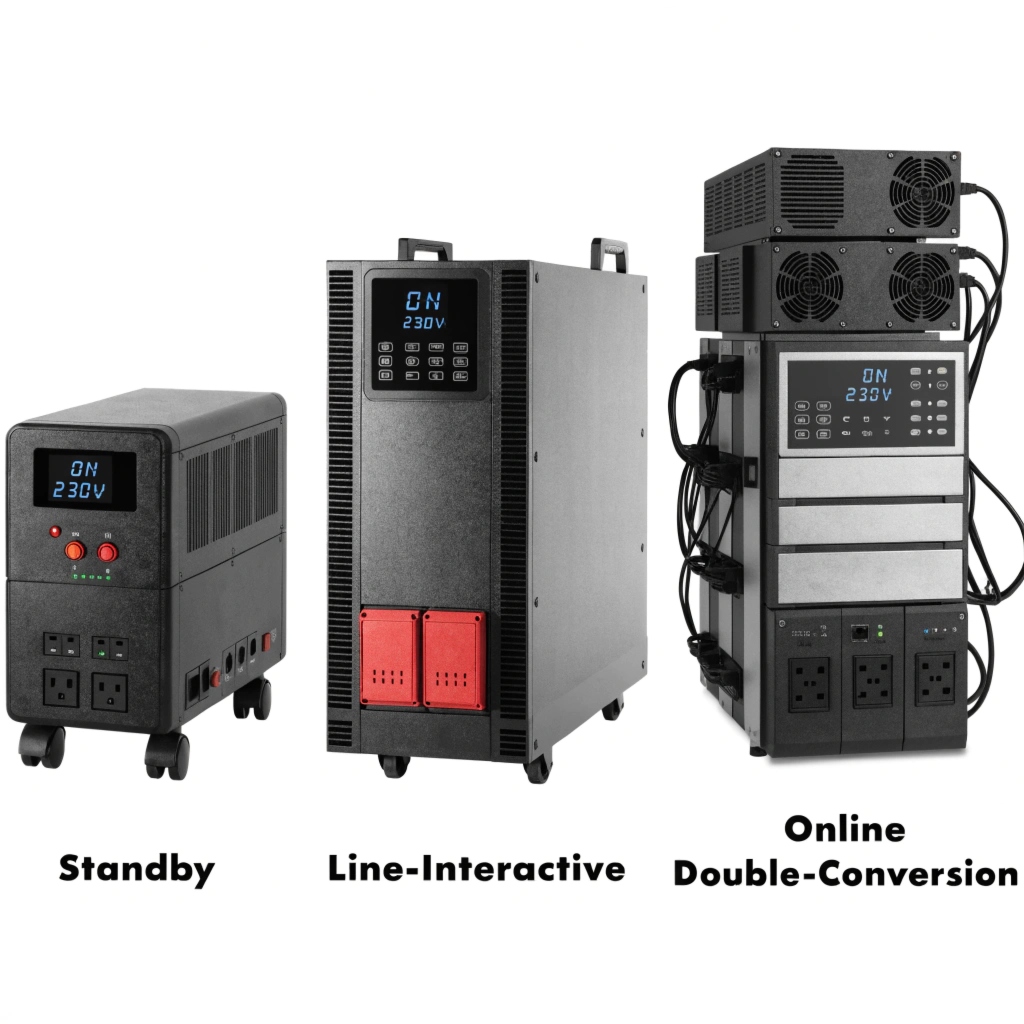
The three main types of UPS are Standby (basic), Line-Interactive (intermediate), and Online Double-Conversion (advanced). For a data center or critical network room, Online is the only acceptable choice.
Choosing the Right Level of Protection
As an OEM, we manufacture solutions across this spectrum because different applications have different needs. Choosing the right one is critical for both performance and budget. Let's break down the three main designs in a way that is easy to understand.
A Standby UPS is the simplest. It passes wall power directly to your devices and only switches to its battery when the power fails. There's a short delay, which is fine for a home PC but not for a server.
A Line-Interactive UPS is a step up. It also passes wall power through, but it has a transformer that can correct minor voltage sags and swells without using the battery. It still has a small transfer time when switching to the battery during a full blackout. It's a good choice for office workstations or small business servers.
An Online Double-Conversion UPS is the ultimate protector. It completely rebuilds the power. It's always converting AC from the wall to DC to charge the batteries, then back to perfect AC for your equipment. Because your gear is always running off this regenerated power, the transfer time is zero. It provides total isolation from all grid problems. This is the professional standard for any data center, hospital, or critical application.
| Feature | Standby (Offline) | Line-Interactive | Online (Double-Conversion) |
|---|---|---|---|
| How it Works | Switches to battery on outage | Corrects voltage; switches on outage | Always runs from regenerated power |
| Transfer Time | 8-10 ms | 4-6 ms | 0 ms (Zero) |
| Protection | Basic (outages, surges) | Good (outages, surges, sags) | Best (all power problems) |
| Best For | Home PCs, non-critical devices | Workstations, small servers | Data Centers, critical systems |
Conclusion
A data center UPS is a complete system that conditions power and bridges the gap to a generator. Its runtime is tiered, and for critical loads, the Online Double-Conversion type is essential.
