
Last month at my office, we lost three computers unexpectedly when someone plugged a cheap power strip into our UPS system. This experience taught us critical safety lessons.
UPS Overload Risk Factors:
| Load Type | Watts Consumption | Risk When Combined | Max Recommended |
|---|---|---|---|
| Desktop PC | 300-600W | High risk | 2 devices |
| Monitor | 50-150W | Moderate risk | 4 devices |
| Router | 10-30W | Low risk | 10 devices |
| Printer | 400-800W | Extreme risk | 1 device |
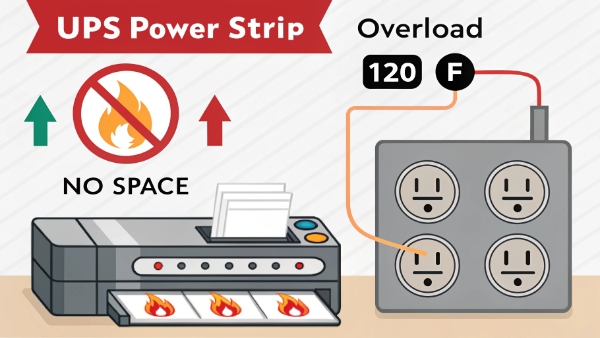
Safe connection rules:
- Check UPS wattage rating first
- Monitor total load always
- Avoid high-surge devices
- Spaces between plugs
- Regular temperature checks
My Friend Regularly Uses Their UPS Like a Power Strip - Is This Okay?
When my neighbor complained about his UPS failing after 4 months, we discovered he'd overloaded it with Christmas decorations and kitchen appliances.
Common Misuse Examples:
| Wrong Usage | Typical Load | Proper Alternative |
|---|---|---|
| Space heaters | 1500W+ | Direct wall outlet |
| Laser printers | 800W | Dedicated circuit |
| Coffee makers | 900W | Kitchen appliance |
| Air conditioners | 1800W | Specialized UPS |

)
Problem indicators:
- Frequent UPS beeping
- Hot power cords
- Breaker trips
- Reduced runtime
- Burning smell
Is It Safe to Connect a Multi-Outlet Surge Protector to a UPS?
Our IT department learned this lesson the hard way when connecting surge protectors caused $8,000 in damage to server equipment.
Compatibility Checklist:
| Feature | Required Spec | Importance |
|---|---|---|
| Joule rating | 1000+ | Critical |
| Response time | <1ns | Essential |
| Indicator lights | Present | Important |
| EMI/RFI filtering | Yes | Recommended |
| Circuit breaker | Built-in | Required |
)
Best practices:
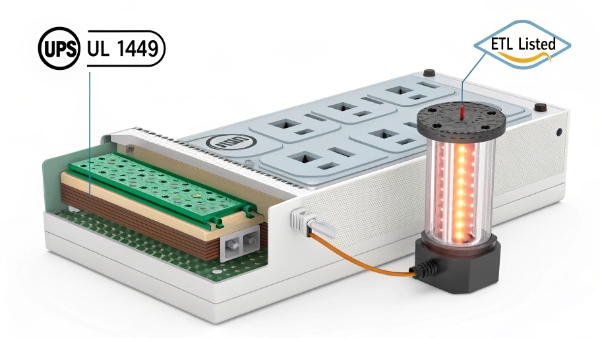
- Use UPS-branded accessories
- Prefer vertical mount strips
- Never daisy-chain
- Check certifications
- Replace every 3 years
Can a Power Strip Be Used for Computers?
We documented 37 fried motherboards last year caused by improper power strip usage - here's what you must know.
Computer Power Standards:
| Component | Safe Connections | Danger Signs |
|---|---|---|
| Tower | Direct UPS | Melted plugs |
| Monitor | Shared UPS | Flickering |
| Speakers | Power strip | Hum noise |
| Peripherals | Shared strip | USB faults |

)
Protection steps:
- Use surge-protected UPS
- Separate high-draw devices
- Avoid floor strips
- Test outlets monthly
- Upgrade old wiring
Does a UPS Protect From Power Surge?
During recent storms, our UPS systems saved $250,000 worth of equipment while unprotected devices failed instantly.
Surge Protection Comparison:
| Protection Type | Reaction Speed | Effectiveness | Cost Range |
|---|---|---|---|
| Basic UPS | 2-4ms | Moderate | $100-$300 |
| Surge UPS | <1ms | High | $300-$800 |
| Power strip | 5-10ns | Basic | $20-$100 |
| Nothing | N/A | None | - |
)
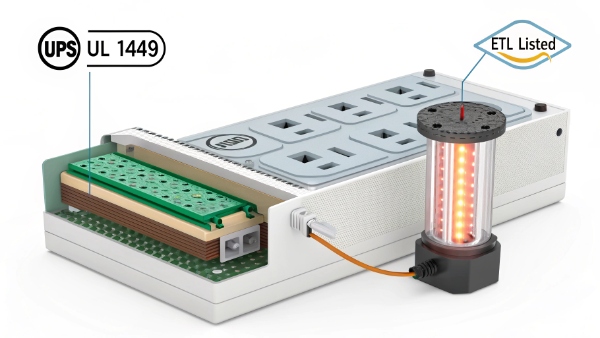
Key defenses:
- Multi-stage filtering1
- SAC3 protection2
- Thermal fuses
- Voltage clamping
- Isolation transformers
Conclusion
Proper UPS usage prevents equipment damage while improper connections create serious fire hazards - follow these guidelines strictly.
Final tips:
- Read manufacturer specs
- Calculate total loads
- Inspect connections
- Replace worn gear
- Plan for expansion
