
Worried your UPS won't survive a long outage? Standard units often fail after minutes, leaving your business offline and vulnerable when you need power the most.
Yes, a UPS can last for 8 hours or even longer. This requires a system with a large battery capacity, often using external battery modules (EBMs), paired with a relatively low power load.
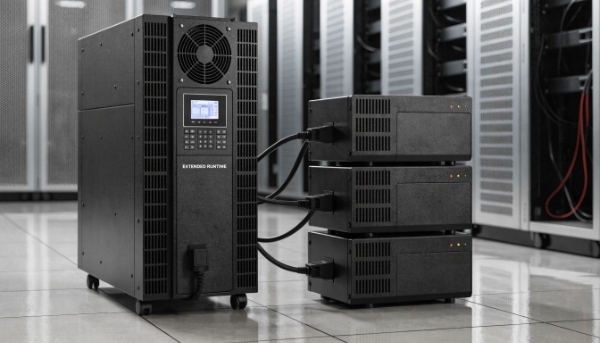
In my decade of building UPS systems, this is a question I hear a lot. People see a UPS and think of a few minutes of power. But a UPS is just a system. The runtime is not fixed. The core insight is this: The duration of an uninterruptible power supply depends on the battery capacity and the size of the load. With a constant load, a larger battery capacity means a longer backup time. Understanding this balance is key to building a system that meets your needs, whether it's for 8 minutes or 8 hours.
How Much Does It Cost to Install a UPS?
Budgeting for a UPS seems simple until you think about installation. Hidden electrical work costs can turn a good deal into a financial headache, delaying your project.
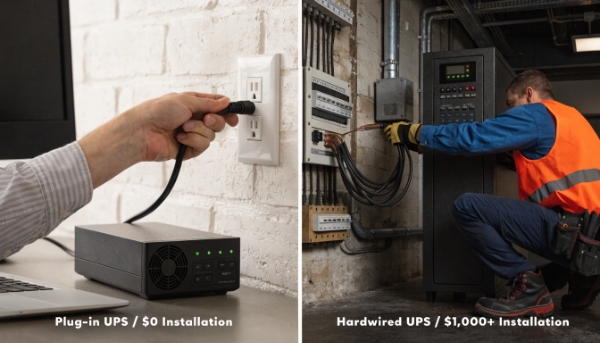
The cost ranges from zero for a small plug-in UPS to several thousand dollars for a large, hardwired system. A simple desktop UPS needs no installation, while a data center UPS requires a certified electrician.
Breaking Down the Installation Costs
The price of the UPS unit is just one part of the total cost of ownership. The installation cost depends entirely on the size and type of the system. I always advise my clients to factor this in from the beginning.
Here’s a general guide:
| UPS Type | Installation Method | Estimated Cost | Who Does It |
|---|---|---|---|
| Small Desktop UPS (under 2kVA) | Plug-and-play | $0 | You |
| Mid-size Rack/Tower (2-10kVA) | Can be plug-in or hardwired | $0 - $800 | You or an Electrician |
| Large Facility UPS (10kVA+) | Requires professional hardwiring | $1,000 - $10,000+ | Certified Electrician |
Small units are designed to be as simple as plugging in a lamp. You just plug it into the wall and connect your devices. For larger systems, especially those that protect servers or an entire office, you need an electrician. They need to be hardwired to your building's electrical panel. This ensures they can handle the high power draw safely and are compliant with local electrical codes. We have a professional technical team to support our clients through this process, ensuring everything is planned correctly.
How Much UPS Is Needed for a PC?
You want to protect your PC, but all the technical numbers like VA and Watts are confusing. Picking the wrong size means you either waste money or it fails when you need it.
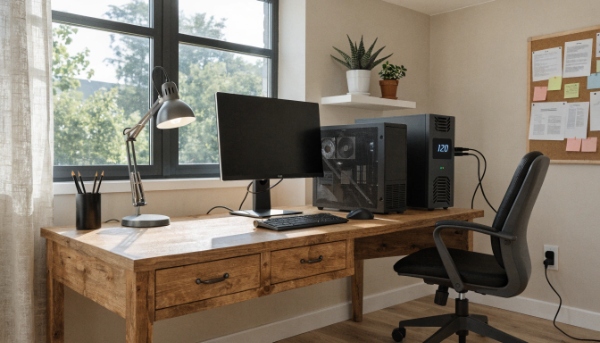
For a standard office PC and monitor, a 300-500VA UPS is usually enough. For a powerful gaming PC with a large monitor, you should look for a UPS rated at 800VA to 1500VA.
Finding the Right Size
Choosing the right size UPS, or "capacity," is crucial. Too small, and it will shut down immediately. Too big, and you've wasted money. Here's the simple way I explain it to procurement managers.
- Find the Wattage: Look at the power supply of your PC. It will have a maximum wattage rating (e.g., 500W). Also, check the back of your monitor for its power usage.
- Add Them Up: Add the wattage of your PC and your monitor together. A typical office PC might use 150W, and a monitor 30W, for a total of 180W.
- Add a Buffer: You never want to run a UPS at 100% of its capacity. A good rule is to choose a UPS where your total load is only about 75% of the UPS's output rating. So for a 180W load, you'd want a UPS that can handle at least 240W.
UPS systems are rated in both VA and Watts. The Watt rating is the important one for your equipment.
| PC Type | Estimated Load | Recommended UPS (Watt Rating) |
|---|---|---|
| Basic Office PC + Monitor | 150 - 200W | 240W+ (450VA+) |
| High-Performance Workstation | 300 - 500W | 600W+ (1000VA+) |
| Gaming PC + Large Monitor | 400 - 800W | 900W+ (1500VA+) |
Which UPS Can Last for 3 Hours?
You need power for hours, not minutes, but every UPS you see only promises a short runtime. This makes finding a solution for extended outages feel impossible and expensive.
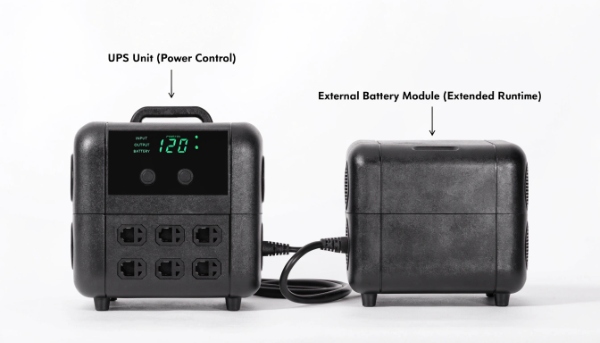
There is no single "3-hour UPS model." To get 3 hours of runtime, you must create a system. This involves choosing a UPS unit and adding one or more External Battery Modules (EBMs).
Building an Extended Runtime System
This goes back to our main insight: runtime is about battery capacity versus load. Standard UPS units have small internal batteries designed for a 5-10 minute runtime. This gives you enough time to save your work and shut down. To get hours of runtime, you need more batteries.
This is where External Battery Modules (EBMs) come in. These are essentially cabinets full of batteries that connect to your main UPS unit. The UPS manages the power and charging, and the EBMs provide the long-lasting energy.
Here's an example:
- A server with a 500W load is connected to a 1500VA UPS. The internal battery gives it 10 minutes of runtime.
- We add one EBM. The runtime increases to 45 minutes.
- We add two more EBMs (three total). The runtime now exceeds 3 hours.
As a manufacturer, this is a huge part of what we do. Our clients tell us their load and required runtime. Then, our technical team designs the perfect combination of a UPS unit and the right number of EBMs to meet that goal.
How Long Do Uninterruptible Power Supplies Last?
You bought a UPS for peace of mind, but now you wonder if it still works. The thought that your investment has silently expired leaves your critical systems unprotected.
A UPS unit itself can last 10 years or more. However, the internal batteries have a limited lifespan of 3-5 years and must be replaced to ensure the UPS functions correctly.
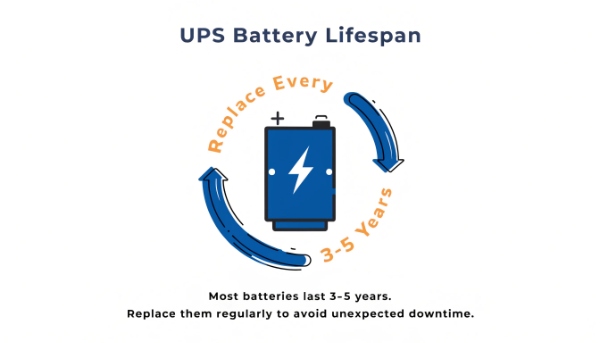
The Two Lifespans of a UPS
A UPS has two parts with two very different lifespans: the electronics and the battery. I always tell my clients to think of the battery as a consumable item, like the tires on a car. The car can last for years, but the tires wear out and must be replaced.
The electronic components—the inverter, rectifier, and charger—are built for the long haul. A well-made UPS can easily last for a decade.
The battery is a different story. It is a chemical product that degrades over time. Heat is its biggest enemy.
Here's a comparison of the two main battery types we offer:
| Battery Type | Typical Lifespan | Best For |
|---|---|---|
| Lead-Acid | 3 - 5 years | Cost-effective solutions and standard applications. |
| Lithium | 8 - 10 years | High-efficiency, long-life, and modern energy projects. |
Most UPS units have a self-test function and will warn you when the battery is getting weak. It is critical to replace the battery when prompted. A UPS with a dead battery is just a very expensive surge protector.
Conclusion
A UPS can last for hours with the right batteries. The key is balancing your load with battery capacity and remembering to replace the batteries every 3-5 years for reliability.
