 Skip to content
Going on vacation for two weeks? You want to save power, but you worry about your UPS battery. Should you turn it off or leave it on to protect your investment?
Yes, you can switch off a UPS for 15 days, but it's generally not recommended. A powered-down UPS offers no protection. If you must, fully charge it first and then shut it down completely. Storing it with a discharged battery can permanently damage it.
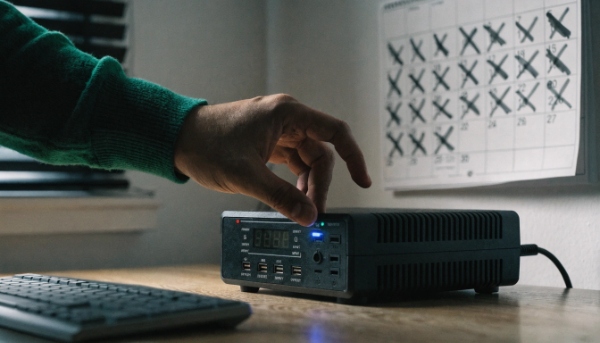
In my experience, a UPS is meant to be a 24/7 guardian for your equipment. Its job is to be always ready. Turning it off is like telling a security guard to go home. If the power is very stable and you want to save a little electricity, you can do it. But you lose all the real-time protection that the UPS provides. For our clients running critical systems, the answer is always to leave it on. The risk is just not worth the small energy savings.
What is a UPS battery backup?
Your power flickers, and you lose your unsaved work. You know a "battery backup" can solve this, but what exactly is it, and how does it work inside that box?
A UPS battery backup is a system that provides instant power from a battery when your main electricity fails. This gives you time to save work and safely shut down your equipment, preventing data loss and potential hardware damage.
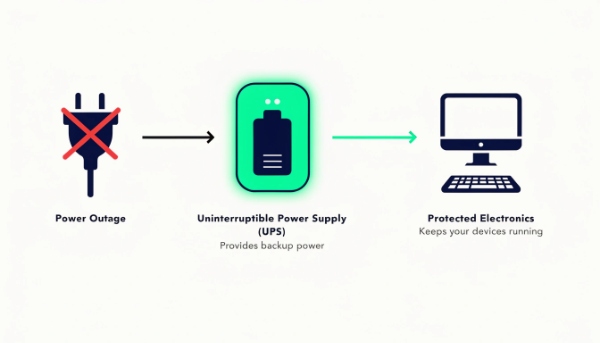
More Than Just a Battery
As a manufacturer, I help procurement managers understand that a UPS is a complete system, not just a battery. The battery is the heart, but it needs a brain and muscles to do its job. Thinking a UPS is just a battery is like thinking a car is just a gas tank. You need the whole system to get anywhere. A modern UPS has four essential parts working together to protect your electronics.
| Component | Its Role in the System |
|---|---|
| The Battery | This is the "tank of power." It stores the energy needed to run your equipment when the main power is out. Its size determines your runtime. |
| The Inverter | This is the "brain." It converts the DC power from the battery into clean AC power that your devices can use. |
| The Charger | This is the "refueling system." When main power is on, the charger keeps the battery full and ready for the next outage. |
| The Surge Protector | This is the "shield." It absorbs dangerous power surges and spikes, sacrificing itself to protect your much more expensive equipment. |
When you buy a UPS, you are buying all four of these components in one integrated, intelligent package.
What are the common applications of online UPS systems?
Your system can't afford even a millisecond of downtime. You hear an Online UPS is the best, but are your needs critical enough to justify the higher cost of this technology?
Online UPS systems are used for the most critical applications where zero downtime and perfectly clean power are non-negotiable. This includes hospital equipment, data centers, financial transaction servers, and sensitive laboratory instruments.
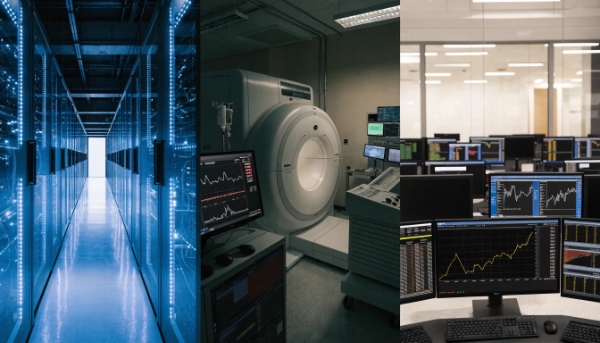
Protecting the Most Critical Loads
When a client comes to us for a solution for a hospital or a large data center, we don't even discuss other options. Online is the only choice. The "double-conversion" technology acts as a complete electronic firewall between the utility grid and the equipment. It constantly regenerates power, so the output is always a perfect, stable sine wave. Here are the main applications where this level of protection is a requirement, not a luxury.
| Application | Why Online UPS is Essential |
|---|---|
| Healthcare | Protects life-support systems, MRI machines, and patient monitoring stations from any power fluctuation. A millisecond power gap could have life-or-death consequences. |
| Data Centers | Prevents data corruption and service outages for servers and storage systems. The cost of downtime is measured in thousands of dollars per minute. |
| Financial Institutions | Ensures that banking servers processing transactions never fail. A lost transaction can lead to huge financial losses and loss of customer trust. |
| Industrial Automation | Keeps control systems for manufacturing lines running flawlessly. A power blip could ruin an entire product batch or damage robotic equipment. |
For these applications, the extra cost of an Online UPS is an easy decision. It is an insurance policy against catastrophic failure.
What features define a quality Uninterruptible Power Supply?
You're comparing two UPS models. They seem to have the same power rating, but one is much cheaper. What hidden features justify the higher price, and which ones actually matter?
A quality UPS is defined by its technology type (Online vs. Line-Interactive), battery type (Lithium vs. Lead-Acid), communication ports (SNMP for remote management), and certifications (CE, RoHS, ISO) which prove its safety and reliability.
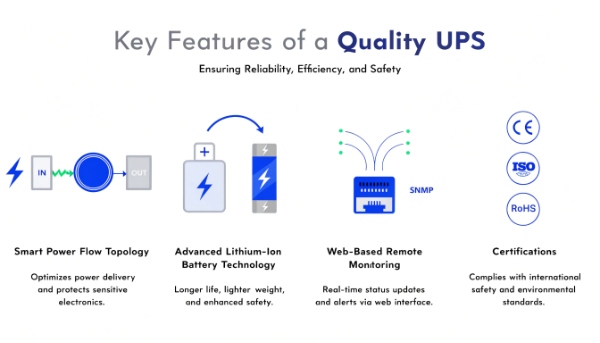
Looking Beyond the Wattage
As an OEM/ODM partner, I guide clients to look deeper than the power rating on the box. The true value and reliability of a UPS are in its design and components. When sourcing a professional-grade unit, here are the features that truly matter for performance and long-term value.
| Feature | What to Look For | Why It Matters |
|---|---|---|
| UPS Topology | Online, Line-Interactive, or Standby. | This determines the level of protection. Online is best, Line-Interactive is a good balance for most business use, and Standby is for basic needs. |
| Battery Technology | Lead-Acid or Lithium-ion. | Lead-acid is cost-effective and proven. Lithium-ion offers a longer lifespan (2-3x), is lighter, and recharges faster, lowering the total cost of ownership. |
| Management Ports | USB and especially an SNMP slot. | An SNMP card allows you to monitor and manage the UPS remotely over the network. This is a must-have for any server room or data center environment. |
| Certifications | CE, RoHS, ISO. | These are not just logos. They are proof that the product meets international safety, environmental, and quality management standards, which minimizes risk for your projects. |
Making sure these features match your application's needs is the key to a successful and reliable power protection strategy.
How do you maintain a UPS Battery Backup for long life?
You just invested in a new UPS system. The batteries are the most expensive part to replace, so how can you make sure they last as long as possible before needing service?
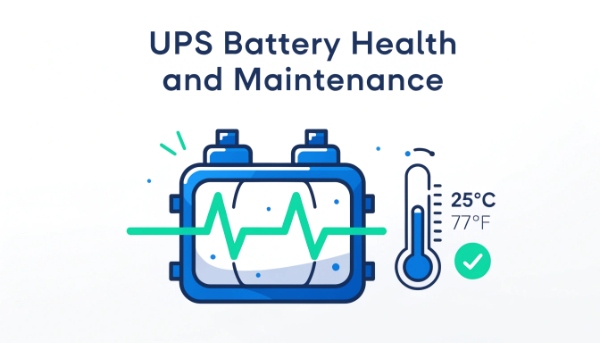
To maximize your UPS battery's life, keep the unit in a cool, dry place around 25°C (77°F). Avoid frequent deep discharges, and run a self-test every 3-6 months. Most importantly, never store a UPS with a dead battery.
Simple Steps for a Longer Lifespan
The battery is a consumable component, but its lifespan is not just a matter of luck. Proper care can often extend its life by years. I had a client who had to replace a whole room of batteries after just two years because their server closet was constantly overheating. Here are the simple maintenance rules we share with all our partners.
-
Keep It Cool: Temperature is the number one enemy of a battery. The ideal operating temperature is around 25°C (77°F). A simple rule of thumb is that for every 10°C increase above this, the battery's expected life is cut in half. Make sure your UPS has good ventilation.
-
Avoid Deep Discharges: A UPS battery1 is designed for short, powerful bursts of energy, not for long, deep drains. Frequent full discharges will wear it out much faster. Size your UPS so it has more runtime than you need.
-
Perform Regular Check-ups: Use the UPS's built-in "self-test" function every few months. This is a quick test that checks the health of the battery without dropping power to your equipment. It can warn you when the battery is getting weak.
-
Proper Storage: If you must store a UPS (like the 15-day scenario), make sure it is fully charged first, then shut it down. A battery left in a discharged state can suffer from sulfation, which can permanently ruin it.
Conclusion
You can switch off a UPS for short periods, but its purpose is 24/7 protection. By choosing the right type and maintaining it properly, your UPS will provide reliable power for years.
-
Explore this link to learn expert tips on maintaining your UPS battery for optimal performance and extended lifespan. ↩

