
You want more battery runtime, but the thought of daisy-chaining two UPS units together feels wrong. You fear it could damage your equipment or even be a fire hazard.
Technically, it can work, but it is highly inefficient and not recommended. This setup creates unstable power, can cause the second UPS to fail, and will void the warranty. The correct solution for more runtime is to use an External Battery Module (EBM).
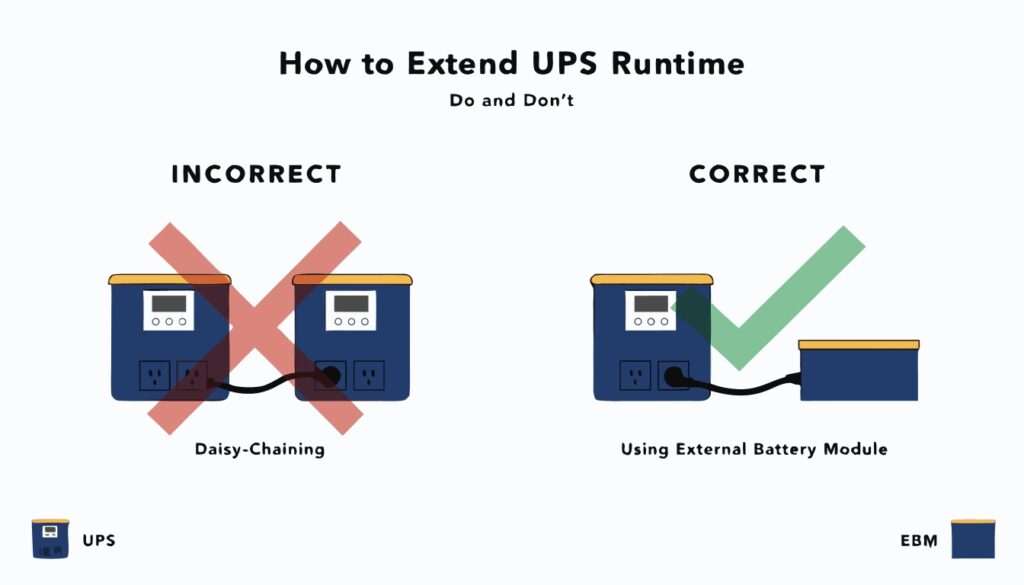
As an engineer and manufacturer, I see this question pop up a lot. It comes from a logical place: "If one is good, two must be better." But UPS systems are sensitive, finely-tuned devices. When you connect one to the output of another, the second UPS sees a distorted, simulated power signal, not the clean utility power it expects. This can cause it to constantly switch between battery and AC power, wearing it out quickly and providing unreliable protection. It's a solution that creates more problems than it solves.
What are the different types of UPS systems?
You see terms like Standby, Line-Interactive, and Online, but they just sound like marketing jargon. You need to pick the right protection but are unsure what the real difference is.
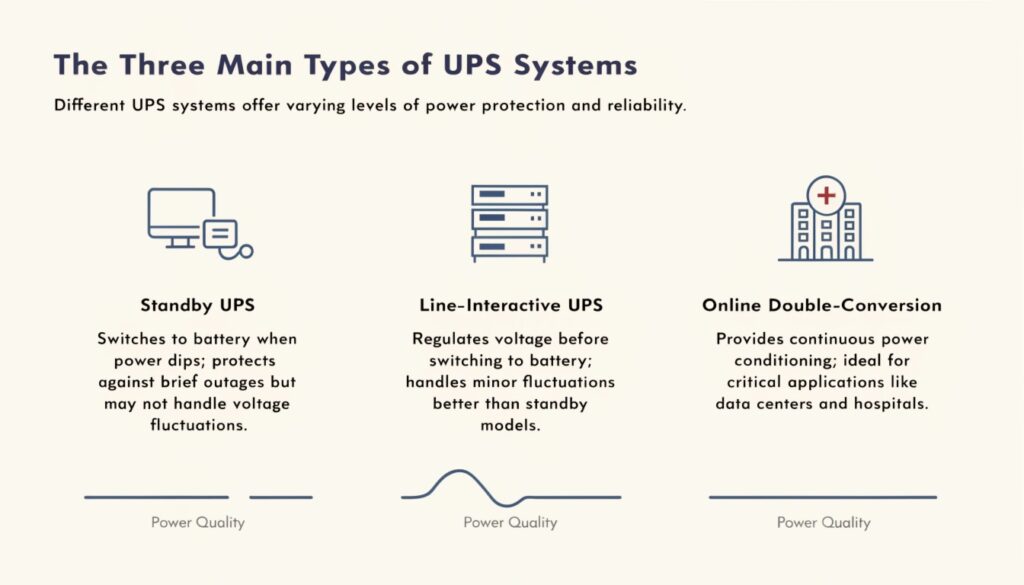
The three main types are Standby (basic protection), Line-Interactive (voltage regulation), and Online Double-Conversion (total protection). The type you need depends on the sensitivity of your equipment and the quality of your utility power.
Choosing Your Level of Protection
Choosing a UPS is like choosing a security system for your building. You wouldn't use a simple door lock to protect a bank vault. In our industry, we match the technology to the value and sensitivity of the asset being protected.
1. Standby UPS: This is the most basic type. It monitors the power and "stands by." When it detects a problem like a blackout, it quickly switches to battery power. This is fine for a non-critical home PC, but the small switching delay can be an issue for sensitive electronics.
2. Line-Interactive UPS: This is a step up and the most common type for small businesses and prosumers. It includes a voltage regulator that corrects minor power sags and swells without using the battery. This saves battery life and provides better protection than a standby unit.
3. Online Double-Conversion UPS: This is the gold standard and what we build for data centers, hospitals, and critical labs. It completely isolates your equipment from the grid. It constantly rebuilds the incoming power, providing a perfect, clean signal at all times. There is zero transfer time during an outage because the inverter is always on. It is the only choice for truly mission-critical equipment.
| UPS Type | Protection Level | Best For |
|---|---|---|
| Standby | Basic | Home PCs, non-critical devices |
| Line-Interactive | Intermediate | Small business servers, network gear |
| Online Double-Conversion | Maximum | Data centers, medical equipment, any critical load |
Do battery backups use a lot of electricity?
You want to add power protection, but you're worried about your electricity bill. You wonder if a UPS is just another energy-draining device that will be silently running 24/7.
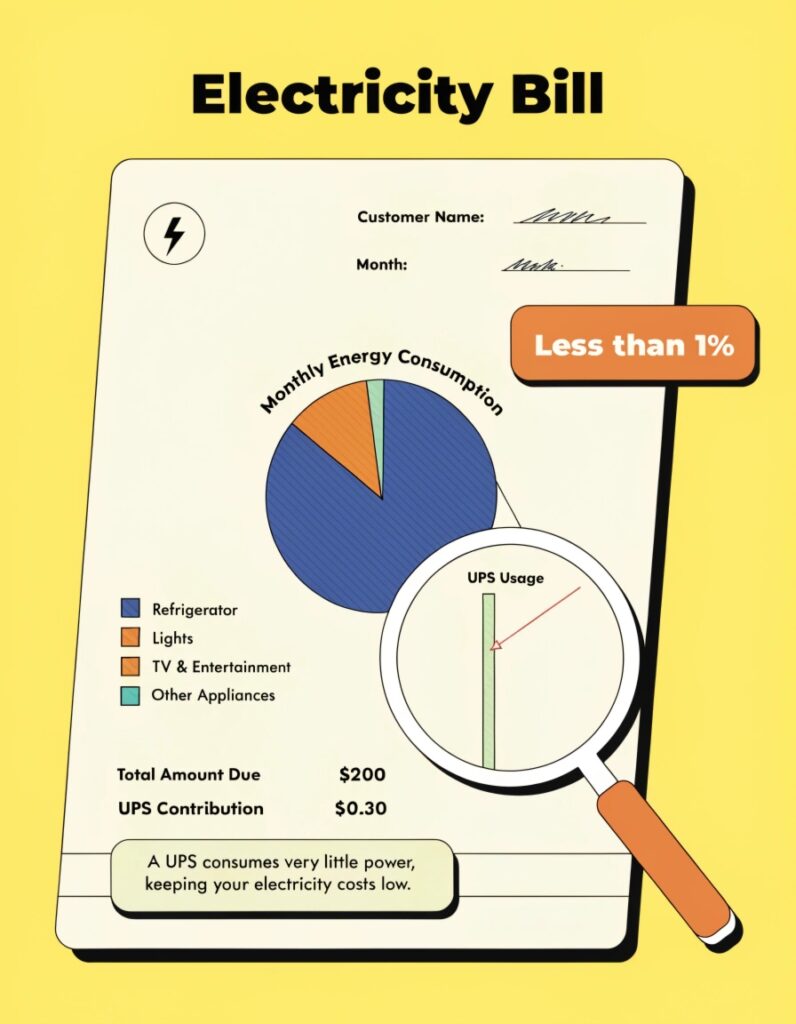
No, a modern UPS is highly efficient and uses very little electricity for itself. Most of the power passes directly through to your devices. The small amount it does use to charge the battery is a tiny cost for complete peace of mind.
The Cost of Protection vs. The Cost of Neglect
I often use the insight that "a UPS can work continuously" when talking to clients concerned about energy costs. We design them for exactly that—24/7 operation with maximum efficiency. Think of a UPS like a security guard for your power line. The guard needs a small amount of energy to stay awake and alert (this is the power used to run the UPS's electronics and keep the battery topped off). But this amount is tiny.
A typical 1500VA line-interactive UPS might only consume 10-25 watts by itself. That's less than an old incandescent lightbulb. In a year, this might add a few dollars to your electricity bill. Now, compare that to the cost of replacing a $2,000 computer or a $5,000 server that was destroyed by a power surge. The minimal running cost of the UPS is an incredibly smart investment. Our modern units, especially those with "green" modes, are over 98% efficient when running on utility power. They are designed to protect, not to drain your resources.
How long can I run a laptop with a UPS and no electricity?
The power goes out and your laptop's internal battery is almost dead. You look at the big UPS powering your desktop and wonder if it could be a lifeline for your laptop.
A very long time. Laptops are extremely power-efficient. A standard desktop UPS that gives a PC 10 minutes of runtime could potentially power a laptop for well over an hour, depending on the UPS capacity and what you're doing on the laptop.

Understanding Power Load
This question comes down to a simple concept: load. A UPS has a certain amount of battery energy stored in its "tank." How long that energy lasts depends on how fast you drain it. A typical desktop PC with a large monitor is a power-hungry device, drawing maybe 150 to 300 watts. Your UPS is sized to handle this high load for a short time (5-10 minutes) so you can shut down safely.
A laptop, however, is a model of efficiency. It's designed to sip power to maximize its own battery life. When you plug a laptop into a wall or a UPS, it might only draw 20 to 40 watts. That's a fraction of the desktop's load. So, the UPS that can barely handle your desktop for 10 minutes can easily power the laptop for ten times as long. This is why, during an extended outage, it's a smart move to shut down the desktop and use its UPS as a personal power station for your laptop and even to charge your phone.
For how long does a UPS usually keep the computer on?
You are shopping for a UPS, but the specifications are confusing. You just want a simple answer: when the power goes out, how much time do I actually have?
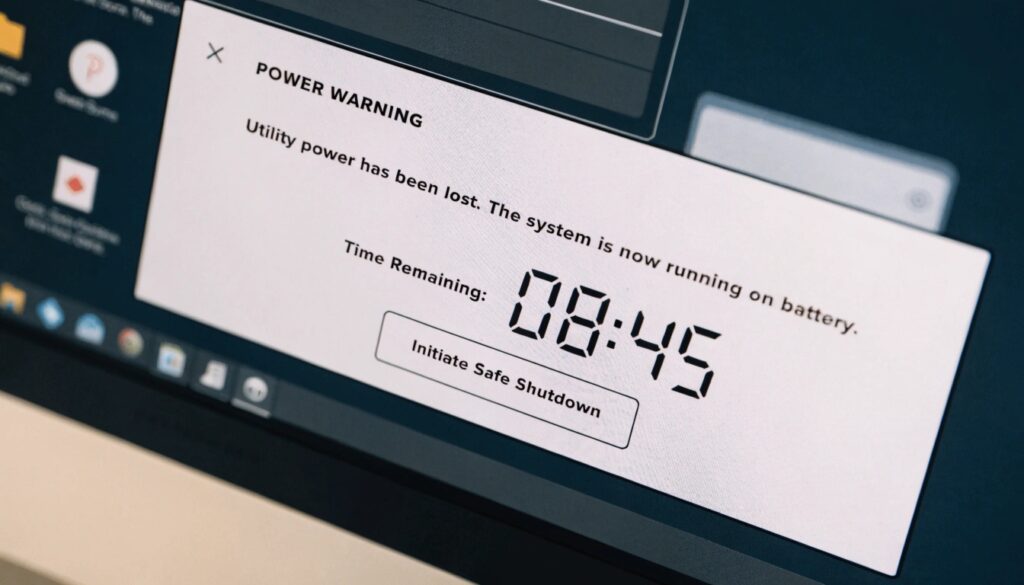
A standard consumer-grade UPS will typically keep a desktop computer on for 5 to 15 minutes. This is specifically designed to give you enough time to save your work and perform a graceful shutdown, not to continue working for an extended period.
It's a Sprint, Not a Marathon
In all my years of designing power solutions, the biggest misconception I have to clear up is the purpose of a standard UPS's runtime. The goal is not endurance; it is data integrity and hardware safety. That 5-15 minute window is a critical buffer. It's the time you need to hit "Save" on that crucial report, close your applications, and let the operating system shut down properly. An abrupt power loss can corrupt files, damage your operating system, and even cause physical harm to sensitive components like hard drives.
The runtime you get will vary greatly based on your computer's power draw. A high-end gaming PC running a demanding game will drain a UPS battery much faster than an idle office computer. That's why we provide runtime charts on our product pages. You should always buy a UPS that gives you at least 5 minutes of runtime with your specific equipment. But remember, the moment the UPS beeps, the clock is ticking. The goal is to get to a safe shutdown, not to try and finish one last level.
Conclusion
Daisy-chaining UPS units is a bad idea. For reliable power protection, choose the right type of UPS for your needs, and use it to ensure a safe shutdown, not to work through an outage.
